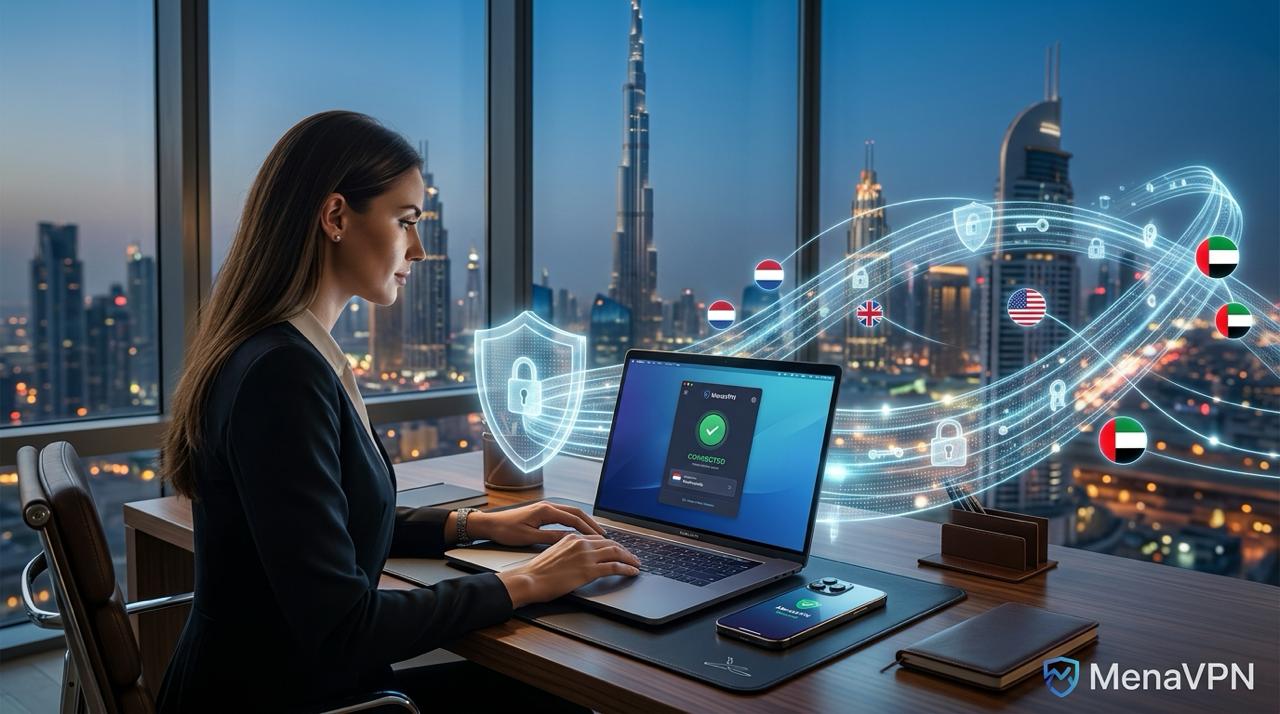


Living and working in Sharjah often means navigating a landscape of local regulations and online restrictions. A reliable VPN can be a cornerstone of secure, private browsing, protecting your data on public Wi-Fi, shielding sensitive information at home, and giving you more control over your online experience. This guide walks you through everything you need to know to use a VPN in Sharjah, UAE, effortlessly and safely.
Why VPNs Matter in Sharjah and the UAE
Public networks—hotels, cafes, airports—can expose you to on-the-wire eavesdropping and insecure connections. A VPN creates an encrypted tunnel between your device and a trusted server, so your online activities stay private even when you’re on a shared network. In Sharjah, as in the rest of the UAE, laws and enforcement around internet use are nuanced. A VPN used for legitimate privacy protection and secure browsing is different from one used to commit illegal activities. Understanding the boundaries helps you stay compliant while enjoying the benefits of improved security and privacy.
Beyond personal privacy, a VPN can help you:
Encrypt sensitive data like passwords, banking details, and emails on public networks.
Bypass questionable Wi-Fi networks that may monitor traffic (where permitted by law).
Access global news, education, and research resources securely when local networks restrict content.
When choosing a VPN for Sharjah, the emphasis should be on robust encryption, a no-logs stance, leak protection, and reputable operations. The goal is a reliable method to safeguard your information without compromising legality or performance.
Is VPN Legal in the UAE? What You Should Know
VPNs themselves are not blanketly illegal in the United Arab Emirates, but there are strict rules about how they’re used. It’s essential to distinguish between a privacy tool and an instrument for illicit activity. The UAE’s cybercrime and telecommunications regulations prohibit using tools to commit crimes, circumvent content restrictions, or access blocked services. Providers with a strong compliance posture, clear terms of service, and transparent data practices are typically advisable choices if you need a VPN for legitimate privacy and security reasons.
Before you proceed, consider these practical tips:
Only use VPNs for lawful purposes, such as securing public Wi-Fi, protecting personal data, or maintaining privacy from targeted tracking.
Avoid attempting to bypass government-imposed blocks or to access restricted services in ways that could contravene local law.
Choose a reputable provider with clear privacy policies, strong encryption, and transparency around how data is handled.
Check the latest local regulations or seek legal guidance if you’re unsure about what constitutes permissible use.
Staying informed and responsible is the best approach. A VPN should be treated as a privacy and security tool rather than a loophole, ensuring you respect the local legal framework while guarding your digital life.
Choosing a VPN for Sharjah: What to Look For
Not all VPNs are created equal, especially in a market with varying regulatory landscapes. Here are the features to prioritize for seamless, secure use in Sharjah:
Strong encryption: Look for 256-bit AES encryption and modern protocols such as WireGuard, OpenVPN, or IKEv2. These offer strong security with good performance.
No-logs policy: A transparent commitment to not storing connection or activity logs reduces privacy risks.
Leak protection: DNS leak protection and a robust kill switch help prevent data from leaking if the VPN connection drops.
Obfuscated servers: If you’re on networks that throttle or block VPNs, obfuscated or stealth servers can help maintain a stable connection.
Server network: A broad network of servers, including nearby regions for speed and latency, plus some in privacy-friendly jurisdictions.
Device support and user experience: Apps for Windows, macOS, iOS, and Android, with a straightforward setup and reliable performance.
Good performance and reliability: Fast speeds, minimal buffering, and responsive customer support.
Legal and privacy transparency: Clear terms of service, privacy policy, and independent audits or credible reviews.
Cost, customer support, and ease of use matter too. A VPN that offers a user-friendly interface, helpful setup guides, and reliably responsive support can save you time and frustration, especially if you’re new to VPNs.
How to Use VPN in Sharjah: Step-by-Step Guide
Step 1: Pick a Reputable VPN Provider
Start with a provider that prioritizes security, privacy, and legal compliance. Read independent reviews, check for a transparent no-logs statement, and verify that the service offers strong encryption, kill switch, DNS leak protection, and obfuscated servers if available. If you’re unsure, many reputable options provide a 30-day money-back guarantee so you can test performance and compatibility risk-free.
Step 2: Download and Install the App on Your Device
VPN apps are widely available for Windows, macOS, iOS, and Android. Install the official app from the provider’s website or your device’s app store. Follow the on-screen prompts to grant necessary permissions. If you’re setting this up on a router or a privacy-focused browser, consult the provider’s setup guides for those configurations.
Step 3: Configure Essential Security Features
Before you connect, take a moment to configure key features:
Enable the kill switch to block all traffic if the VPN disconnects unexpectedly.
Turn on DNS leak protection to prevent your real DNS requests from leaking outside the VPN tunnel.
Choose a secure protocol (preferably WireGuard or OpenVPN) based on your device and network conditions.
Enable obfuscated servers if you’re on networks with VPN blocks or heavy restrictions.
Step 4: Connect to a Server
Choose a server location based on your needs. If privacy and security are the priority, pick a server outside the UAE in a privacy-friendly jurisdiction. If you’re trying to access region-locked content, select a server in the desired region. For best performance, start with a nearby server; if you experience slow speeds, switch to a different server or protocol.
Step 5: Verify Your Connection
After connecting, verify that your VPN is working correctly. You can:
Check your IP address and location on a site like whatismyip.com to confirm you’re showing the VPN exit server.
Run a DNS leak test to ensure DNS requests aren’t leaking to your ISP.
Test for WebRTC leaks (especially on browsers) and ensure the VPN kill switch blocks traffic if the connection drops.
Step 6: Browse Securely and Responsibly
With the VPN active, your browsing data is encrypted, your IP is masked, and your sessions on public networks are safer. Remember to stay within legal boundaries, avoid sharing sensitive information carelessly, and keep your VPN updated to the latest version for the best security.
Common Issues and Troubleshooting
Even the best VPNs can run into hiccups. Here are common problems and practical fixes to keep you online without frustration:
Connection drops or unstable performance: Try a different server, switch protocols (for example, from OpenVPN to WireGuard), or restart the app. Ensure your device’s firewall or security software isn’t blocking VPN traffic.
DNS leaks or IP leaks: Double-check that DNS leak protection is enabled and test with a DNS leak test site. If leaks persist, switch to a different DNS setting or enable the kill switch.
Unable to access certain services: Some apps or sites may block VPN traffic. Try obfuscated servers, switch to a different exit country, or temporarily disable the VPN if permitted by law for that service.
Mobile data limitations: On some mobile networks, VPN traffic may be throttled. Use a higher-quality plan or a protocol optimized for mobile performance.
Battery and performance impact: VPNs can use more battery on mobile devices. Pick a lightweight protocol and close background apps to conserve power.
If issues persist, consult your VPN provider’s help center or customer support. They can guide you through device-specific steps and offer troubleshooting tailored to your setup.
Safety Tips and Best Practices for Using VPNs in Sharjah
Keep your VPN updated to the latest version to benefit from security patches and improvements.
Use strong authentication on your accounts and enable multi-factor authentication where available.
Regularly review your privacy settings and understand what data your VPN provider collects.
Avoid free VPN services unless you’re confident in their privacy practices; paid options typically offer stronger security and reliability.
Block or limit unnecessary apps on your devices to minimize potential vulnerabilities.
Respect local laws and regulations. Use VPNs to enhance privacy and security, not to engage in unlawful activities.
For businesses or professionals in Sharjah, a corporate VPN may provide additional controls, such as centralized management, stricter access policies, and better integration with enterprise security standards.
Practical Scenarios: How a VPN Can Matter in Everyday Life
Here are a few real-world examples of how a VPN can improve your digital experience in Sharjah:
Public Wi-Fi at a cafe or hotel: Encrypts your traffic and reduces the risk of interception when you log into banking, email, or work portals.
Remote work on sensitive projects: Keeps confidential data protected from local networks and potential eavesdroppers.
Privacy-conscious browsing: Limits targeted advertising and reduces profiling by third parties in everyday browsing.
Access to international research and media: When local restrictions apply to certain sites, a VPN can help you reach legitimate resources from abroad.
Remember, the goal is to enhance security and privacy while staying within the bounds of local regulations. A thoughtful, responsible approach to VPN use goes a long way toward a safer online experience.
Conclusion: Browse Securely and Responsibly in Sharjah
Unlocking secure browsing with a VPN in Sharjah, UAE is about balancing privacy, security, and compliance. By choosing a reputable provider with strong encryption, a solid privacy policy, and useful protections like an automatic kill switch and DNS leak protection, you can protect your data on public networks and take back control of your online experience. The steps to set up are straightforward: pick a trusted VPN, install it on your device, configure the essential security features, connect to a server that fits your needs, and verify that everything works as intended. With thoughtful usage and awareness of local regulations, you can enjoy safer, more private internet access in Sharjah without sacrificing performance or reliability.