
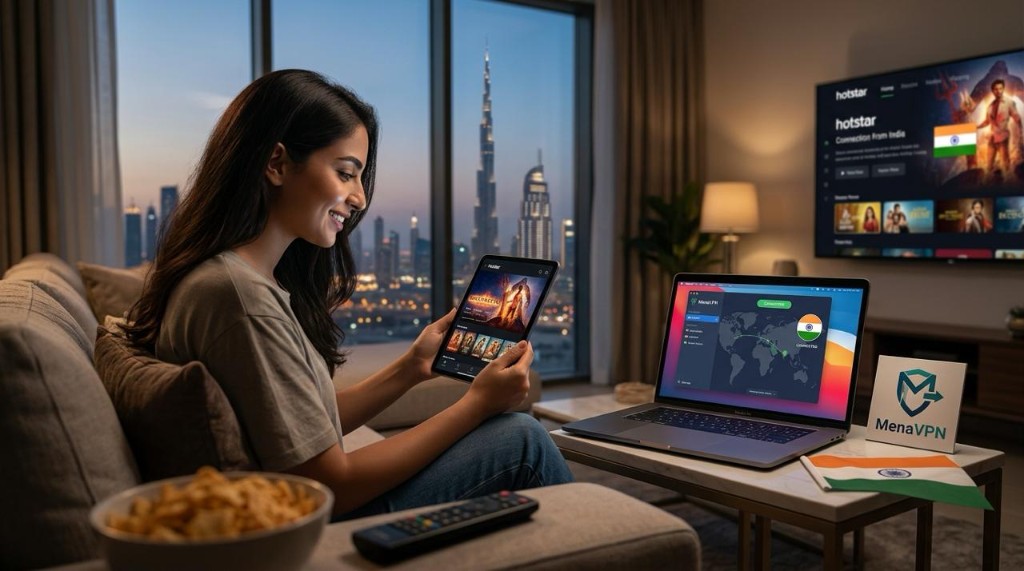
Why Hotstar is geo restricted in the UAE
Hotstar curates a vast library based on regional licensing deals, and many titles are locked to specific countries. In the UAE, that means a lot of popular Indian shows, movies, and sports streams aren't directly accessible. The result can be a frustrating search for content you know exists elsewhere. The good news is that a reliable tool can help you unlock its catalog without sacrificing speed or privacy. The key is choosing a trusted service that keeps your data safe while you enjoy seamless streaming. That's where MenaVPN comes in, offering fast connections to Indian servers and strong encryption to protect your activity while you watch Hotstar from the UAE.
What you'll need to get started
To watch Hotstar in UAE today, you typically need three things: a Hotstar account, a stable internet connection, and a reputable VPN. A few extras can smooth things out, too. Consider a device you already use for streaming, whether it's a phone, tablet, laptop, or smart TV. With the right VPN, you can switch locations to India and access Hotstar's catalog just like a local subscriber. MenaVPN makes this process straightforward across multiple devices, giving you flexibility whether you're at home or on the go.
Step by step: How to watch Hotstar in UAE today
Choose a reliable VPN. For most people, MenaVPN provides the best blend of speed, reliability, and privacy. It's built to handle streaming without annoying slowdowns
Install the VPN on your device. If you're on a phone or tablet, you can use MenaVPN for iOS or MenaVPN on Android depending on your device. For iOS devices, visit the MenaVPN for iOS page. If you're on Android, the MenaVPN on Android guide will show you everything you need to know.
Connect to an Indian server. Open the app and pick a server located in India to obtain an Indian IP address. This makes Hotstar think you're watching from India, unlocking the content library you want. If you're using a computer or laptop, you can set up MenaVPN on Windows or Mac or even use the Chrome extension when you're browser-based
Open Hotstar and sign in or create an account. Once connected, open Hotstar in your browser or app and log in. If you don't have an account yet, you can sign up directly through Hotstar while connected to your Indian server.
Start streaming. Browse the Hotstar catalog and choose exactly what you want to watch. If you encounter buffering, try switching to another Indian server within MenaVPN, or adjust the video quality to match your connection speed.
Device ready steps for different platforms
If you're using a computer, you might prefer installing a VPN client directly on Windows or Mac. For Windows devices, check the MenaVPN for Windows guide, and for Mac users there is a dedicated setup at MenaVPN for Mac. On mobile, you can opt for the iOS or Android apps respectively. If you'd rather stream from a browser, consider the Chrome extension listed on the MenaVPN site for convenient protection while you browse and watch. See browser protection extension for details.
Tips for smoother streaming in the UAE
Streaming Hotstar in a country with network constraints can be smoother with a few practical steps. Start by selecting a fast Indian server in MenaVPN's network; proximity often means lower latency and better video quality. If your connection wobbles, switch to another Indian server or try a different protocol setting in the app. Keep your streaming device updated to the latest OS and Hotstar app version to prevent compatibility issues. And for everyday privacy and security, you can rely on MenaVPN to encrypt your traffic even on public Wi Fi, giving you safe access to your favorite content from almost anywhere. If you want browser based protection, you can also use the Chrome extension as a quick add on for safe and private streaming while you browse.
Why choose MenaVPN for Hotstar in UAE
MenaVPN is designed with streaming in mind. It provides fast, reliable connections to Indian servers so you can access Hotstar's catalog without long loading times. The encryption helps keep your activity private, which is especially important on shared networks or public Wi Fi. It also includes a kill switch and DNS leak protection to prevent accidental exposure of your real location. Whether you are on iPhone, Android, Windows, or Mac, MenaVPN offers a tailored setup for your device, plus the convenience of a browser extension for quick protection while you search and watch. By choosing MenaVPN, you get a straightforward path to seamless Hotstar access without compromising your device performance or privacy.
Common issues and quick fixes
If Hotstar still blocks content after you connect, try these quick checks. First, confirm you are connected to an Indian server in the MenaVPN app. If the library still doesn't load, try a different Indian server or restart the app. Clear Hotstar app data or browser cache and reopen the app or site. If streaming remains unstable, lower the playback quality in Hotstar settings to reduce buffering. Finally, ensure your device's date and time are set accurately, as mismatches can prevent streaming services from validating your session.
Public Wi Fi and privacy while streaming
Using a VPN is a smart move when you're on public networks. It protects your data from prying eyes and helps you maintain privacy while you enjoy Hotstar in the UAE. MenaVPN's strong encryption keeps your connection secure and your online activity private, so you can relax and focus on the show you're watching rather than worrying about who might be watching you online. For multi device protection, you can also explore MenaVPN capabilities across various platforms, including iOS and Android, which makes secure browsing on your iPhone or Android devices easier than ever.
Conclusion: watch Hotstar in UAE effortlessly with MenaVPN
Accessing Hotstar from the UAE is entirely doable when you have the right setup. A trusted VPN like MenaVPN makes it straightforward to unlock the Indian catalog, enjoy high quality streams, and protect your privacy at the same time. The setup is simple across devices, with dedicated guides for iOS, Android, Windows, Mac, and browser extensions. If you want a reliable, fast, and secure way to stream Hotstar in UAE today, give MenaVPN a try. It's designed to help you watch what you want, when you want, with less friction and more peace of mind. Ready to start? Install MenaVPN on your device and connect to an Indian server to begin your Hotstar binge now.
VPN comparison for watching Hotstar in UAE
Compare how MenaVPN stacks up against other VPN providers for Hotstar streaming in the UAE:
| Feature | MenaVPN | ExpressVPN | NordVPN | Surfshark | CyberGhost |
|---|---|---|---|---|---|
| Best for Hotstar in UAE (India-centric access) | Dedicated Indian servers, UAE-friendly routing; optimized for Hotstar catalogs | Excellent unblocking in many regions; not UAE-specific focus | Broad unblocking with India coverage; strong but less UAE-optimized | Good unblocking; value option, may need server switching for Hotstar | Beginner-friendly, streaming profiles; reliable but less UAE-tailored |
| Indian server performance | Optimized Indian servers delivering low latency from the UAE | Strong global network including India; fast for Indian content | Wide Indian server coverage; solid speeds | Stable speeds on Indian servers | India servers available; decent speeds |
| Security & privacy | Kill switch, DNS leak protection, strong encryption | Industry-leading security; kill switch; DNS protection | Robust security; DNS leak protection | Solid encryption; kill switch; DNS protections | Robust security features; user-friendly |
| Browser extension & ease of use | Chrome extension; easy setup with device guides | Comprehensive browser extensions; polished apps | Browser extension available; straightforward setup | Extensions available; simple onboarding | Extensions & simple UI; quick start guides |
| Device support | Windows, Mac, iOS, Android; official browser extension | Windows, Mac, iOS, Android; browser extension | Windows, Mac, iOS, Android; extensions | Windows, Mac, iOS, Android; unlimited devices | Windows, Mac, iOS, Android; browser extensions |
| Pricing / value | Competitive pricing; high value for UAE + India access | Premium pricing; high value with reliable performance | Competitive pricing; strong value | Budget-friendly; strong value for the features | Budget-friendly; great value with user-friendly plan |
| Public Wi‑Fi protection | Encryption designed for safe use on public networks | Excellent protection on public Wi‑Fi | Solid protection on public networks | Strong on public Wi‑Fi; extra privacy features | Good protection on public Wi‑Fi |
| Overall verdict | Best option for UAE users wanting instant, reliable Hotstar access and strong privacy | Reliable all-around performer with broad support | Strong network and stability; great cross-region access | Best value for budget-conscious users who still want solid unblocking | Beginner-friendly with good performance; not UAE-specific |
💻 Works on All Your Devices – Use Tinder Anywhere in Dubai & UAE
MenaVPN gives you full access to Tinder in Dubai and across the UAE—on any device. Whether you're swiping from a smartphone or chatting on your desktop, you’ll enjoy fast, secure, and unrestricted access to Tinder.
iOS (iPhone & iPad)
Use Tinder on your iPhone or iPad in the UAE without limitations. Our iOS app is lightweight, battery-friendly, and perfect for smooth Tinder sessions in Dubai or anywhere in the Emirates.
Android (Phones & Tablets)
Access Tinder on Android devices across the UAE, with top-tier speed and privacy. MenaVPN works flawlessly on Samsung, Huawei, Pixel, Xiaomi, and more.
Windows (PC & Laptop)
Enjoy the full Tinder Web experience on Windows while staying protected—wherever you are in the UAE.
macOS (MacBook & iMac)
Swipe, match, and chat on Tinder for Mac with complete freedom. Optimized for Apple users in the UAE.
Linux (Ubuntu, Fedora & more)
Browse Tinder Web securely on Linux in Dubai & UAE. Ideal for developers and power users using Ubuntu, Fedora, etc.
Browser Extensions (Chrome, Firefox, Edge)
Unblock Tinder from your browser instantly. Ideal for quick access from Chrome, Firefox, or Edge in the UAE.
💬 What Real Users Love About MenaVPN

Alexandra J.
"Been using Mena VPN for 2 years, is more stable and clear on WhatsApp call in the UAE, unlike other VPNs. Strongly recommend Mena VPN where you can’t make a call without VPN."
Ron D.
"Mena VPN is legal in the GCC. Reliable, easy to use, stable. Saves money on WhatsApp calls, unlocks blocked websites & Netflix. This is my second year subscription."
Jimmy K.
"Using this app almost 3 years. Good app to connect with loved ones."